Standalone · Real-time · Kitbash
Kitbashing.
Without the suffering.
STRUCTOR is a standalone real-time kitbash tool — built with Unreal Engine, runs on its own. Years of procedural assembly knowledge, compressed into something anyone can operate with a controller, or from their phone. No 3D software required.
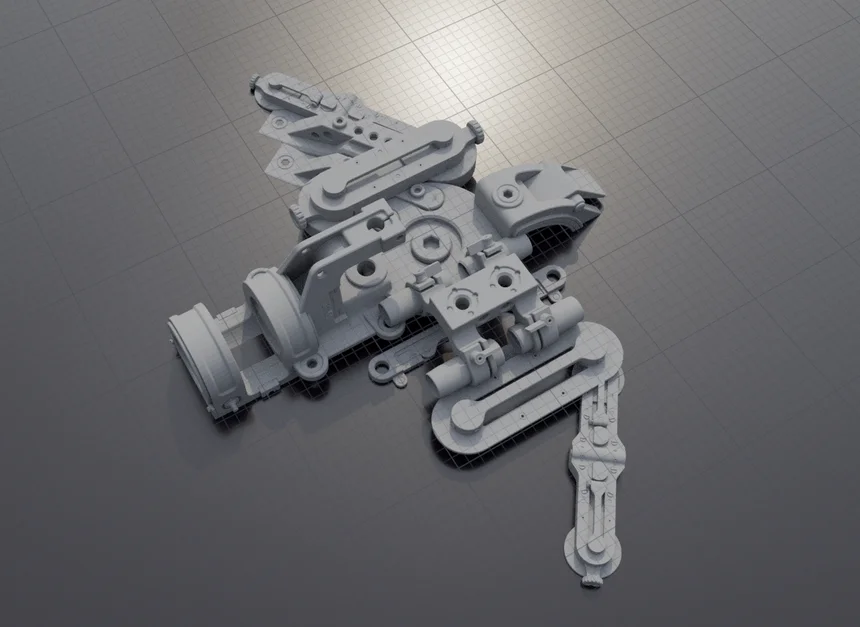
What is it
Kitbashing — the art of assembling complex 3D assets from pre-built parts — has always been a craft reserved for people fluent in at least two pieces of software, one arcane file format, and approximately nine keyboard shortcuts they can never quite remember. STRUCTOR changes that.
It's a standalone application — you run it on your PC like any other program, no Unreal Engine installation required on your end. Inside, you grab, snap, rotate, and combine elements from a curated library in real time. The feedback is instant. The results are immediate. The happy accidents are, frankly, the whole point.
Think of it as the difference between cooking a meal and assembling furniture from IKEA — except the furniture looks good, it snaps together satisfyingly, and nobody ends up crying on the floor surrounded by Allen keys.
Features
Real-time assembly
No baking. No waiting. No "rendering frame 1 of 4000". STRUCTOR is a standalone app — what you see is what you get, immediately.
Controller & mobile input
Use a gamepad or stream directly to your phone via pixel streaming. Walk around a set. Pick things up. Put them somewhere else. It is, improbably, exactly that simple.
Happy accidents by design
Procedural variation is built into every placement. STRUCTOR nudges, rotates, and scales elements within defined tolerances — producing results that look considered, even when they weren't.
No 3D software required
To create with STRUCTOR, you don't need Blender, Maya, or Houdini open. You need STRUCTOR and an idea. The rest follows.
Central asset library
All elements live in a shared, studio-grade library. Consistent naming, consistent scale, consistent quality. The kind of thing that makes pipeline engineers visibly relax.
JSON output format
STRUCTOR exports a clean JSON file — a precise description of what you built and what elements it references. Lightweight, readable, and fully portable across every tool in your pipeline.
How it works
01 — Launch STRUCTOR
Run the standalone application on your PC. Connect a controller or start a pixel streaming session to your phone. No installation wizard with seventeen "Next" buttons. It just starts.
02 — Browse and place elements
Navigate the central library and place elements into your scene in real time. Snap them to surfaces, stack them, mirror them. The procedural system handles variation — you handle the vision.
03 — Export a JSON scene file
When you're done, STRUCTOR writes a JSON file describing your assembly — element IDs, transforms, relationships. It references the central library, so the file stays small even when the scene doesn't.
04 — Bring it into your DCC of choice
Plugins for Blender, Maya, and Houdini read the JSON and reconstruct your scene natively — with full geometry, materials, and hierarchy intact. From phone to Houdini in four steps. Not bad.
Integrations
Blender
Import your STRUCTOR scene as a fully structured Blender file. Collections, object names, and transforms preserved.
Maya
Load your JSON directly into Maya. Studio-ready naming conventions, ready for rigging, look development, or further modelling.
Houdini
Bring your assembly into Houdini as a procedural network. Because sometimes you want to rebuild the whole thing with noise.
Status
STRUCTOR is currently in active development. If you're a gaming studio, a technical artist, or simply someone who has spent too long fighting a pivot point in Blender — get in touch.